Before delivery, test the exported package in HQControl and verify every important behavior.
Use this order before a formal export
Save every page and template, run Batch Replace for final cleanup, choose full-package or current-page export, confirm the output directory, then inspect the main page, popup pages, and interaction pages in the exported result.
- Save the presentation and templates.
- Run Batch Replace within the intended scope.
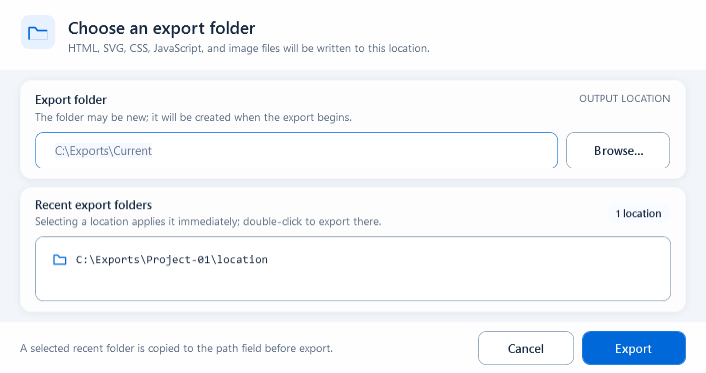
- Choose Export HTML or Current Page according to impact.
- Test key pages after export.
One PPT is one screen package
Treat one presentation as one complete screen package in HQControl. Keep page HTML, SVG, page scripts, images, and manifests together. Do not maintain the package as unrelated loose files.
- Same-package navigation: hqVisuDesigner.openPage(...).
- Cross-package navigation: hqVisuDesigner.openScreen(screenCode).
- Keep the exported directory structure intact.
- Use a full package for formal delivery and version archives.
Choose full-package or current-page export
Use Export HTML for first release, formal delivery, shared files, page additions or removals, page renames, and navigation changes. Use Current Page only for a clearly isolated page change whose Page Code and package structure remain unchanged.
- Formal delivery: full package.
- Local page-only update: Current Page.
- Any change crossing the current page boundary: full package.
- Decide whether this run is a preview or a release before choosing the folder.
What Batch Replace can change
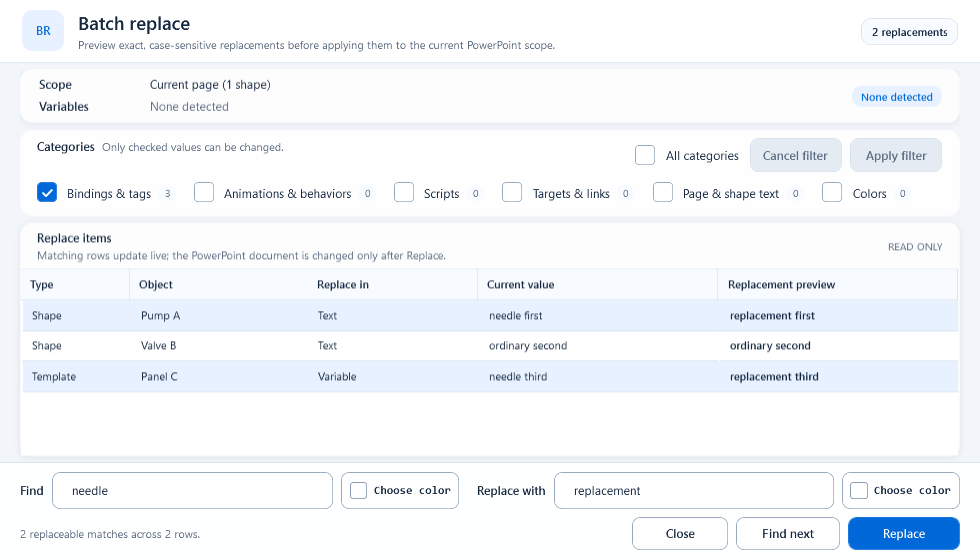
Batch Replace scans the current selection or page across Bindings & tags, Animations & behaviors, Scripts, Targets & links, Page & shape text, and Colors. It builds a read-only preview first; the document changes only after Replace. Find is exact and case-sensitive, with surrounding spaces ignored.
- Scope: Selected content or Current page.
- Variables: detected template variables in the active scope.
- Categories: choose allowed types and click Apply filter.
- Preview: Type, Object, Replace in, Current value, Replacement preview.
- Find next or F3: move to the next exact match.
- Blank Replace with: remove each exact match.
Run Batch Replace from filter to replacement
Select the intended objects, or leave the selection empty for the current page. Open Batch Replace, verify Scope, choose Categories, and click Apply filter. Enter Find and Replace with, review every replacement preview, use Find next to locate uncertain rows in PowerPoint, then click Replace.
- A few objects only: select them before opening the window.
- Current page: confirm Scope says Current page.
- Color changes: use the color buttons and enable Colors.
- Unexpected preview rows: remove that category and apply the filter again.
- After Replace, inspect text, tags, scripts, links, and colors on the slide.
Separate template variables from display text
Template-variable matches identify instance parameters such as <PLC> or <RUN_TAG>. Page text, Default Text, and Language Key belong to display configuration. Review Type and Replace in before replacing so an instance parameter is not mistaken for visible copy.
Plan export folders and versions
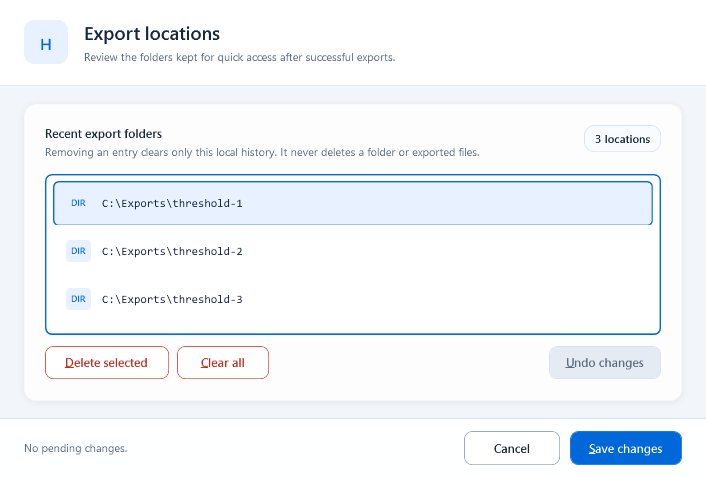
Use separate locations for previews and formal releases, and include a clear release identifier in the parent directory name. Export History remembers paths only; it does not classify a release or preserve package versions.
Export History is not version control
Export History stores recent folder paths for quick access. Removing an entry or clearing the list does not delete the real directory. Use explicit release directories or another version archive for rollback.
Publish and acceptance check
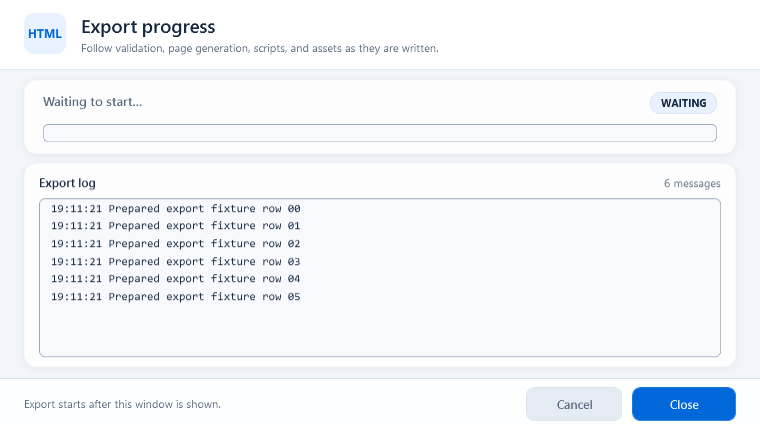
Upload the complete export result to HQControl, configure the menu entry, and open the package. Test page navigation, popups, tag reads, tag writes, language text, template inputs, charts, and browser-console errors before handoff.
- The expected entry page opens.
- Every same-package and cross-package link reaches the correct target.
- Writes show the expected permission, confirmation, reason, and result.
- Images, templates, scripts, and charts load without missing resources.
- The package can be traced to the source PPT and release folder.