
What it is and what it is for
Close Current Popup closes the popup that contains the bound object. It does not navigate the main page and needs no Page Code. Put it inside the popup page, not on the button that opens the popup.
Close Current Popup closes the popup that contains the bound object. It does not navigate the main page and needs no Page Code. Put it inside the popup page, not on the button that opens the popup.
Close Current Popup closes the popup that contains the bound object. It does not navigate the main page and needs no Page Code. Put it inside the popup page, not on the button that opens the popup.
By default the behavior closes without returning a value. To report the user's choice, enable Return a result to the page that opened this popup and fill Result expression. It accepts a JavaScript expression such as true, 42, a string, or { confirmed: true }.
{ confirmed: true } or another value the opener expects.// Result expression
({ confirmed: true, motorId: selectedMotorId })It only closes the current popup context. Do not depend on it on an ordinary page where no popup exists. A returned result is not a PLC write; use Write Tag / Write Tag Bit for device writes so host permission and audit rules still apply.
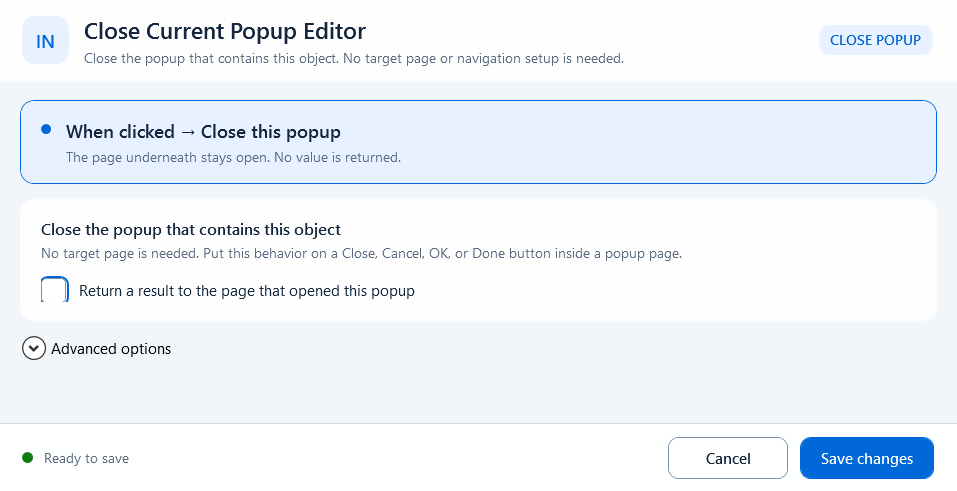
Close without a value by default; reveal Result expression only when the opener needs a confirmation result.