
What it is and what it's for
Bind Tag Text to a text component and set its target and optional prefix/suffix. Use Script Text for calculations or combined values.
Display one Tag value with an optional fallback, prefix, suffix and quality border.
Bind Tag Text to a text component and set its target and optional prefix/suffix. Use Script Text for calculations or combined values.
Open Tag Text and configure these fields:
Target tag: PLC_LINE01.OVEN01.TEMPERATURE
Fallback value:  "--"
Prefix:         "Temperature: "
Suffix:         " °C"
// Display example: Temperature: 36.5 °CUse for a direct single-Tag display, for example:
A fixed full name in Target tag does not require quotes. Use =bindingConfig.temperatureTag for an object property. Fallback value, Prefix, and Suffix are string expressions: quote literal text. Use Script Text for numeric variables, formatted results, or calculated Tags. Quality Border indicates data quality, not equipment state or alarms.
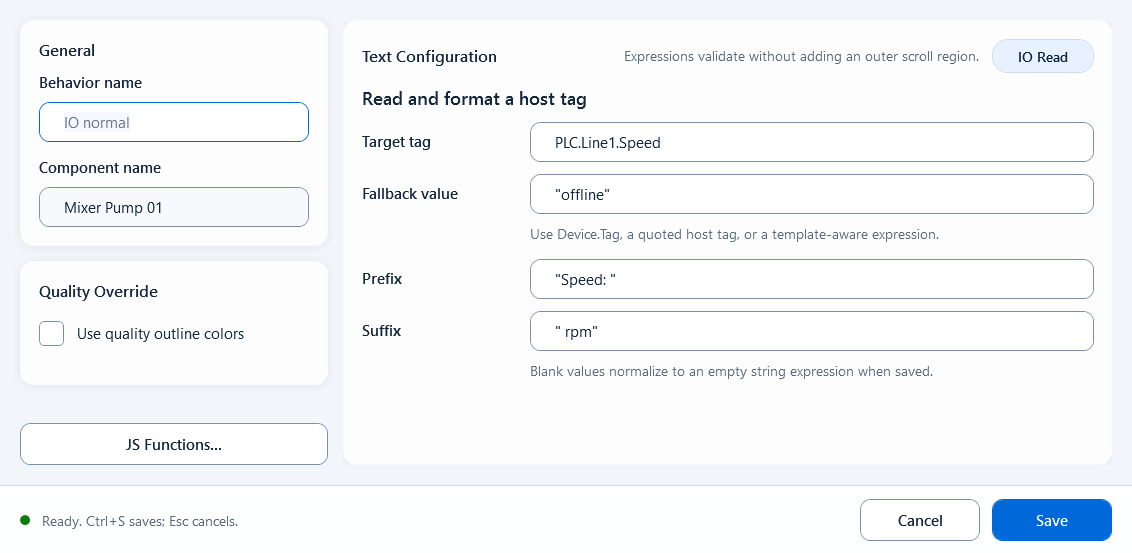
Fill the tag expression, default value, and optional prefix/suffix to show a single tag's value as text.