
Design in PowerPoint. Run on the plant floor.
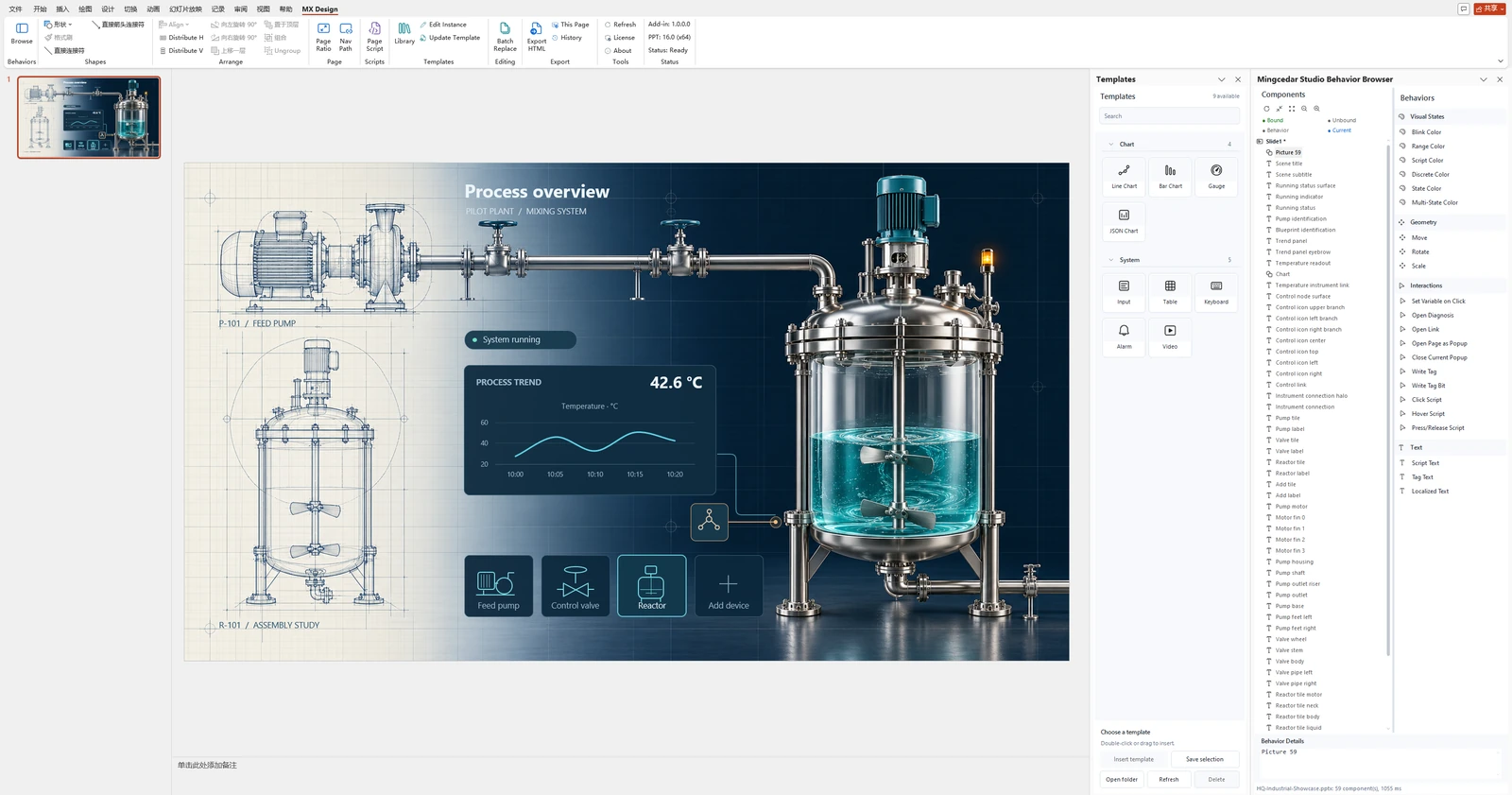
Keep your editable source in PowerPoint. Export a runtime package. Connect your site through Mingcedar.

Design the screen. Shape the interaction.
Mingcedar Studio brings industrial screen engineering into PowerPoint. Keep an editable source, from the first layout to the next revision.
- Templates & reuse
- Reuse page structures, equipment templates, and popups.
- States & data
- Connect Tag bindings with animation and charts.
- Logic & media
- Add JavaScript, events, and video to your screens.
 Explore Mingcedar Studio
 At the desk. On the floor.
Open Mingcedar in a browser to access process screens and check system status.
Desktop · Process screen
Connect equipment. Bring sites together.
Mingcedar carries collected values, quality, and source information into screens, alarms, trends, and project logic.
- Siemens S7
- S7Plus
- OPC UA
- Modbus TCP
- TCP/IP
One data source across the runtime
Screens, alarms, and trends reuse collected Tag values with quality and source information. Historical trends preserve gaps for invalid samples.
Read the guideSite federation & collection redundancy
Select remote screens, IO, alarms, and trends separately, with a device scope for remote collection. Within a runtime unit, an eligible standby can take over collection after a failure.
Read the guidePython projects & shared modules
Organize CPython 3.13 scripts by project. Reuse common/ modules, install compatible offline Wheels, and access data through typed Tag helpers.
Read the guideRead-only IO sharing
IO State API V2 uses Profiles, Access Keys, and scopes to expose read-only snapshots and WebSocket subscriptions to external systems.
Read the guideCustom pages with the SDK
Bring your HTML pages into the runtime workspace. Read and write Tags and use navigation within the capabilities declared by the page and the current user’s permissions.
Read the guideTwo tools. Ready when you need them.
Independent tools for point organization and local file exchange.


Your next project starts here.
Obtain packages, documentation, and engineering examples according to each product’s release status.