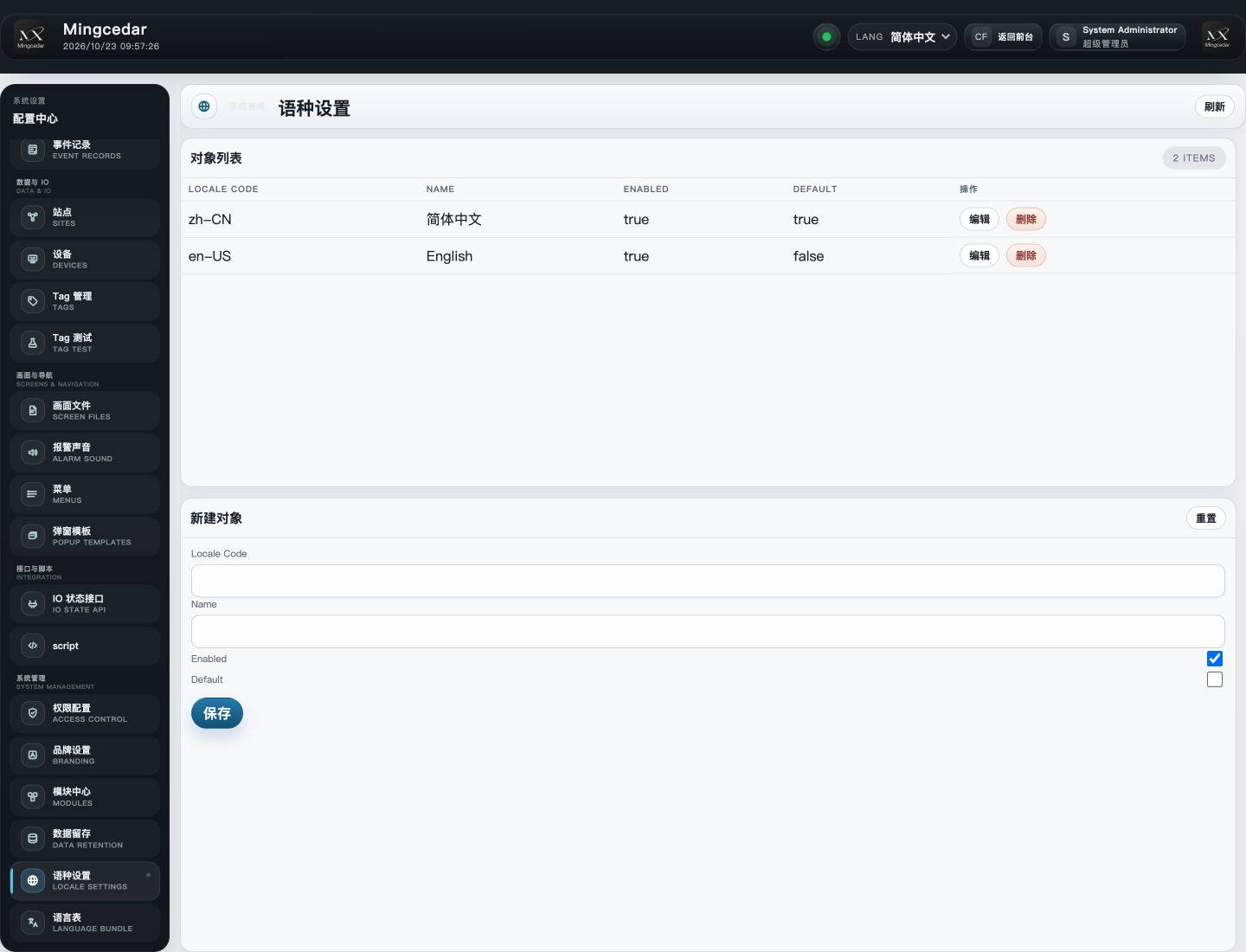
Create or edit a locale with its code, name and enabled state. The code identifies its column in language resources.
Choose the default locale and save. Check the runtime language selector and individual user language settings.
Language Bundle: create, edit and filter
Location: Admin → Language Bundle.
Filter by module, search locale and keyword. Coverage and missing markers identify incomplete translations.
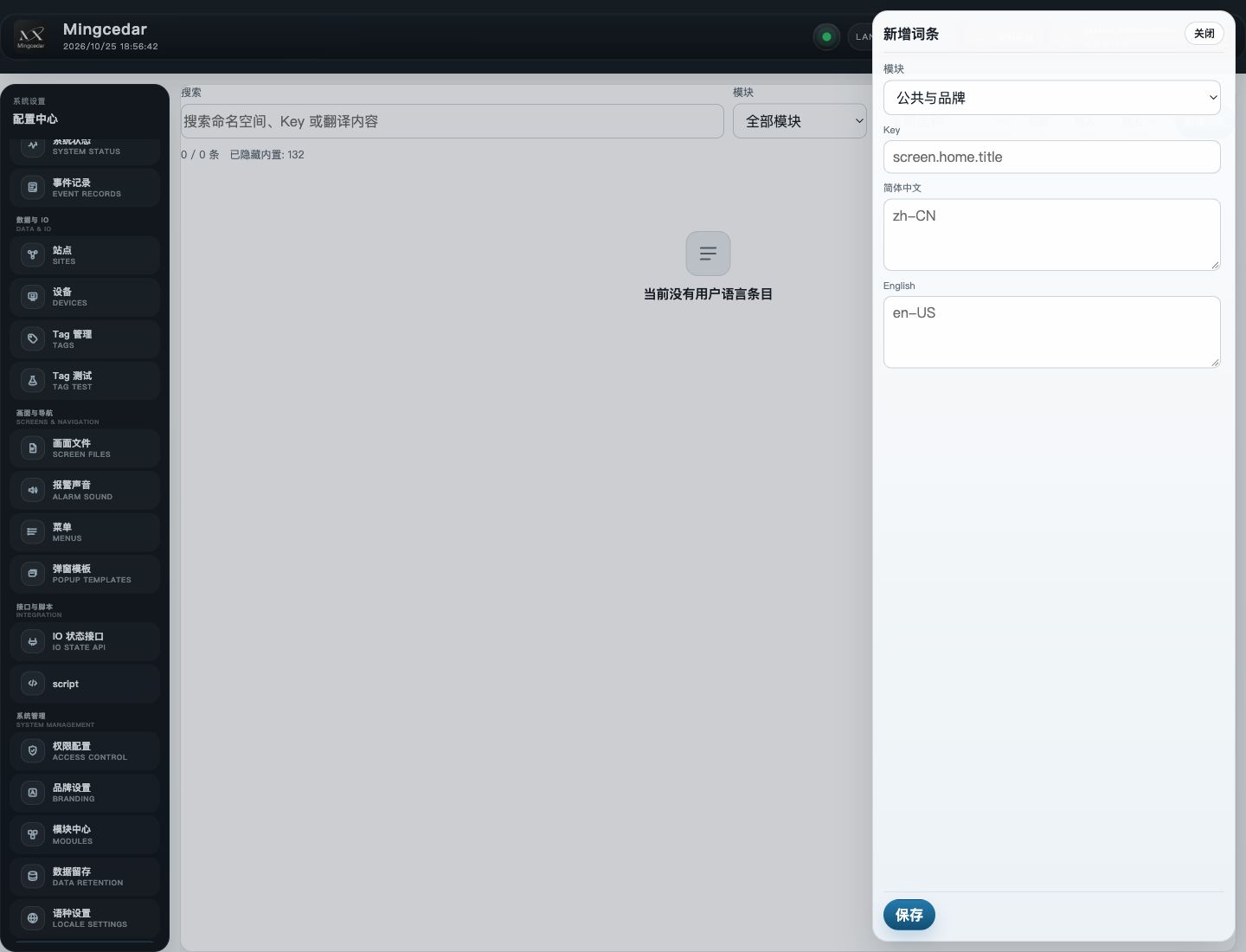
Create an entry, choose a module and enter its Key, then fill the enabled locale fields and save.
Open an existing entry to edit translations. Built-in entries can be edited but not deleted; user entries can be deleted.
Built-in entries are hidden by default. Enable Show Built-in Language Entries under Settings → Display & operation to reveal them. This preference applies immediately.
Import and export language bundles
Import supports CSV, JSON and NDJSON; export supports CSV and NDJSON.
Export an existing bundle as a format template. Keep the Namespace, Key and locale columns in CSV, and enter translations in the matching locale columns.
Import the file and review created, updated, skipped and failed counts. Correct failed rows according to the reported result.
Choose All visible entries or Current filter, select the export format and download.
Hidden built-in entries are excluded. To include them, change the visibility preference first and check the export scope.
Figure 1: Locale Settings
The locale list shows codes, names, enabled and default status, with a form below for adding a locale.
Figure 2: Language Bundle: new entry
The new-entry drawer has Module, Key, and translation fields for enabled locales.