Page scripts ship with an HQ VISU Designer screen and run in the browser. Use them for initialization, page variables, object color / visibility / text, and page-local interaction. They are not server schedules or direct database or PLC connectors.
Scripts
Scripts: Script types and usage boundaries
HQControl projects mainly use browser page scripts, the custom-page SDK, and server-side Integration Script. They run in different locations and expose different controlled capabilities, so choose by the object the code must access.
Browser page scripts handle the current screen
Page scripts ship with an HQ VISU Designer screen and run in the browser. Use them for initialization, page variables, object color / visibility / text, and page-local interaction. They are not server schedules or direct database or PLC connectors.
Custom-page SDK builds controlled project pages
Use the SDK for a standalone HTML report, diagnostic page, or business view. Declare readable and writable Tags, then use ready(), supports(), and permission checks. Do not depend on private main-application objects.
Integration Script is controlled server-side integration
Integration Script runs in a HQControl-managed isolated environment. Use it for local computation, scheduled or event work, Tag bridging, signed HTTP inbound, and managed HTTP / PostgreSQL access. It does not manipulate browser DOM or receive host network and database credentials.
Choose by access target
DOM, components, or current-page variables: browser page script.
Standalone pages, history, alarms, current user, or controlled Tag access: custom-page SDK.
Schedules, signed inbound calls, IO changes, or managed external connections: Integration Script.
All Tag writes use HQControl methods and preserve permission, active IO Owner, and audit boundaries.
Execution context
Each Integration Script invocation receives ctx with fields appropriate to its trigger, such as request identity, inbound payload, scheduled time, or IO event. Validate the fields that are actually present before reading a Tag or calling a connector; not every trigger has the same context.
Schedule: planned time and execution window.
Signed HTTP inbound: requestId, payload, and authenticated caller context.
IO change: stable Tag identity, value, quality, and event time.
Prefer the stable request or execution identity for idempotency keys; do not generate a new random key.
Direct methods and the hqcontrol module
Use injected methods such as ReadTag, WriteTag, or HTTPRequest in short scripts. Use the formal hqcontrol module for reusable helpers. Both forms use the same short-lived Invocation capability and cannot bypass the sandbox.
import hqcontrol

tag = hqcontrol.get_tag("<device-code>.<tag-code>")
print(tag)

result = hqcontrol.set_tag_value(
    "<device-code>.<writable-tag-code>",
    12,
    {"valueType": "number", "reason": "approved process adjustment"},
)
print(result)
Formal interpreter and dependency contract
Production execution is fixed to the verified Python interpreter and locked dependencies in the release package. Runtime package installation is not allowed. Per-script Python, venv, and custom working-directory settings do not change the formal interpreter, and custom working directories are rejected. New dependencies must enter the audited, locked, built, and verified release process.
Do not use runtime dependency installation as a production delivery step.
Do not use another interpreter, a work directory, or a local package folder to expand script capabilities.
Do not use raw networking libraries or database drivers for external access.
Use only the managed HTTP / PostgreSQL connectors declared by the script.
Production acceptance
Validate inputs, quality, query scope, and error output with read-only logic and Dry-run.
Use Debug against controlled test targets to verify real side effects.
Review timeout, concurrency, cooldown, triggers, connector revisions, idempotency keys, and recent execution records.
Simulate a timeout or uncertain external result and confirm that the side effect is not replayed automatically.
Enable automatic triggers last, then verify the Tag or external target and the audit record.
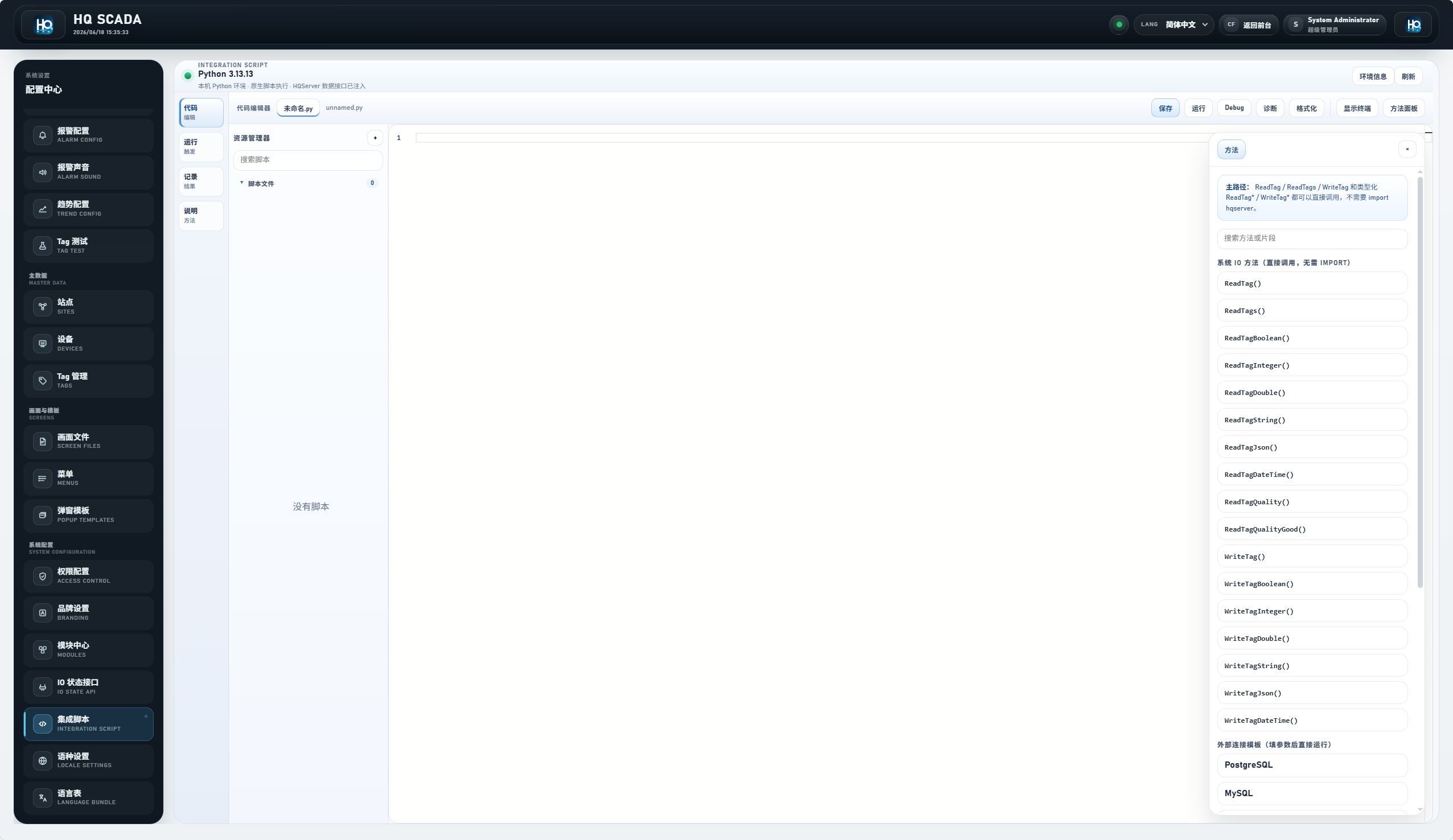
Figure 1: System script entry
Integration Script is the server-side system script entry, not the same as browser page scripts.