
What it supports
Preview common materials in the browser, assign download, upload, folder creation, rename, and delete permissions by role, and retain essential runtime logs.
Preview common materials in the browser, assign download, upload, folder creation, rename, and delete permissions by role, and retain essential runtime logs.
Preview common materials in the browser, assign download, upload, folder creation, rename, and delete permissions by role, and retain essential runtime logs.
Authorized users exchange packages, patches, logs, and reports through a LAN browser without a separate client.
Mingcedar Share provides one shared folder and global role permissions. It does not provide per-file grants, cloud sync, or collaborative document editing.
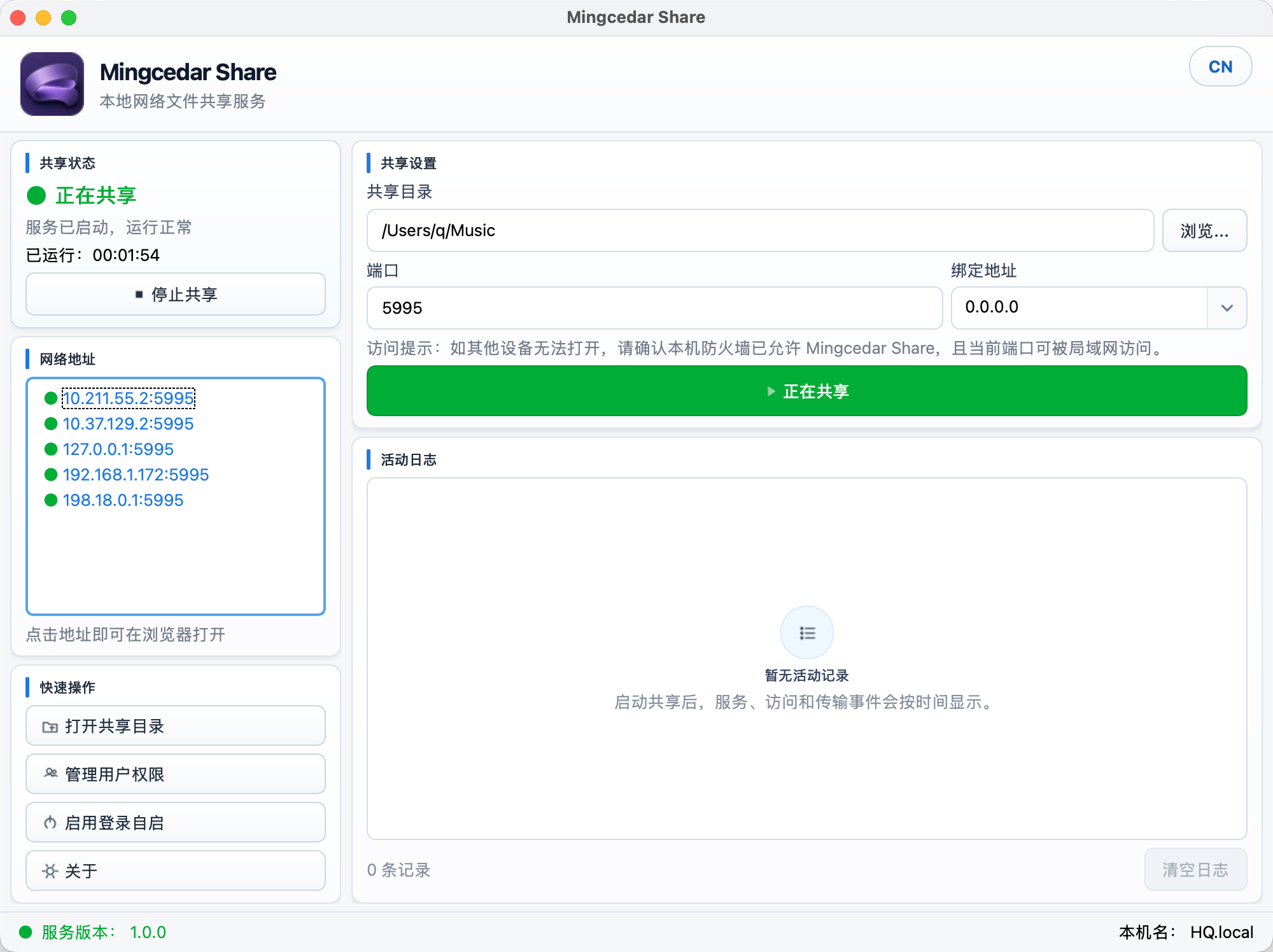
macOS interface in Chinese: set the shared folder, port, and bind address, then view sharing status and the browser address.