
What it supports
Preview common materials in the browser, assign download, upload, folder creation, rename, and delete permissions by role, and retain essential runtime logs.
Preview common materials in the browser, assign download, upload, folder creation, rename, and delete permissions by role, and retain essential runtime logs.
Preview common materials in the browser, assign download, upload, folder creation, rename, and delete permissions by role, and retain essential runtime logs.
Delivery package downloads, patch distribution, field log upload, acceptance screenshot collection, report exchange, and file transfer between maintenance PCs.
Long-term archive, public Internet sync, multi-user document editing, massive file indexing, or enterprise-drive permission models.
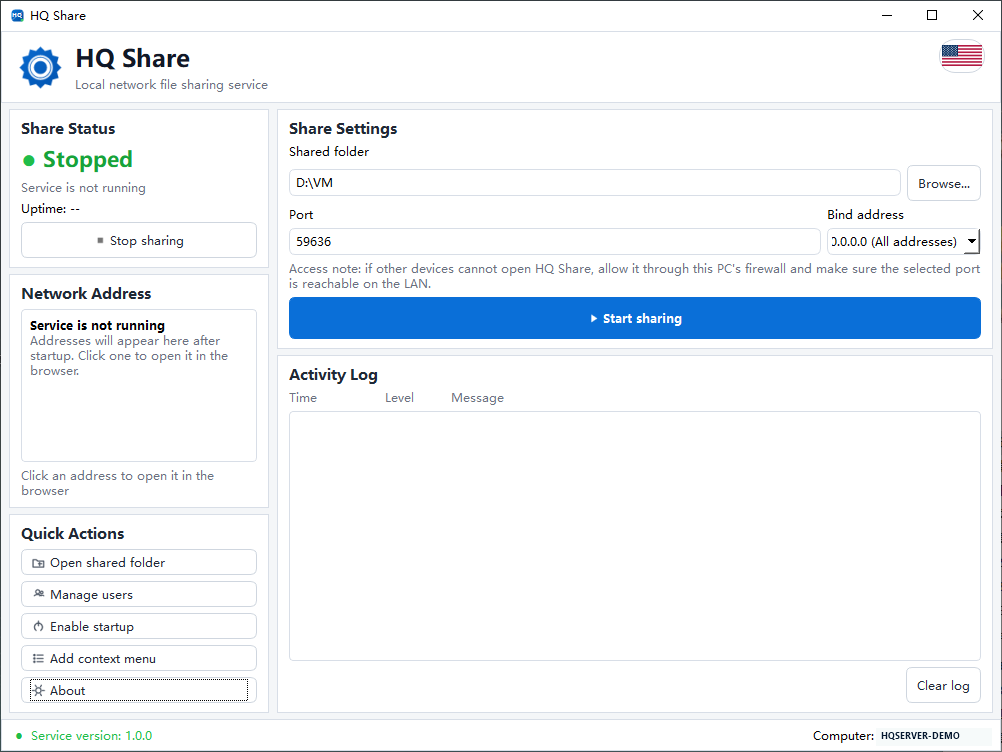
The desktop app sets the shared folder, port, bind address, current state, and browser access address.